SaaS Process Mapping: Plan Automation Before You Build

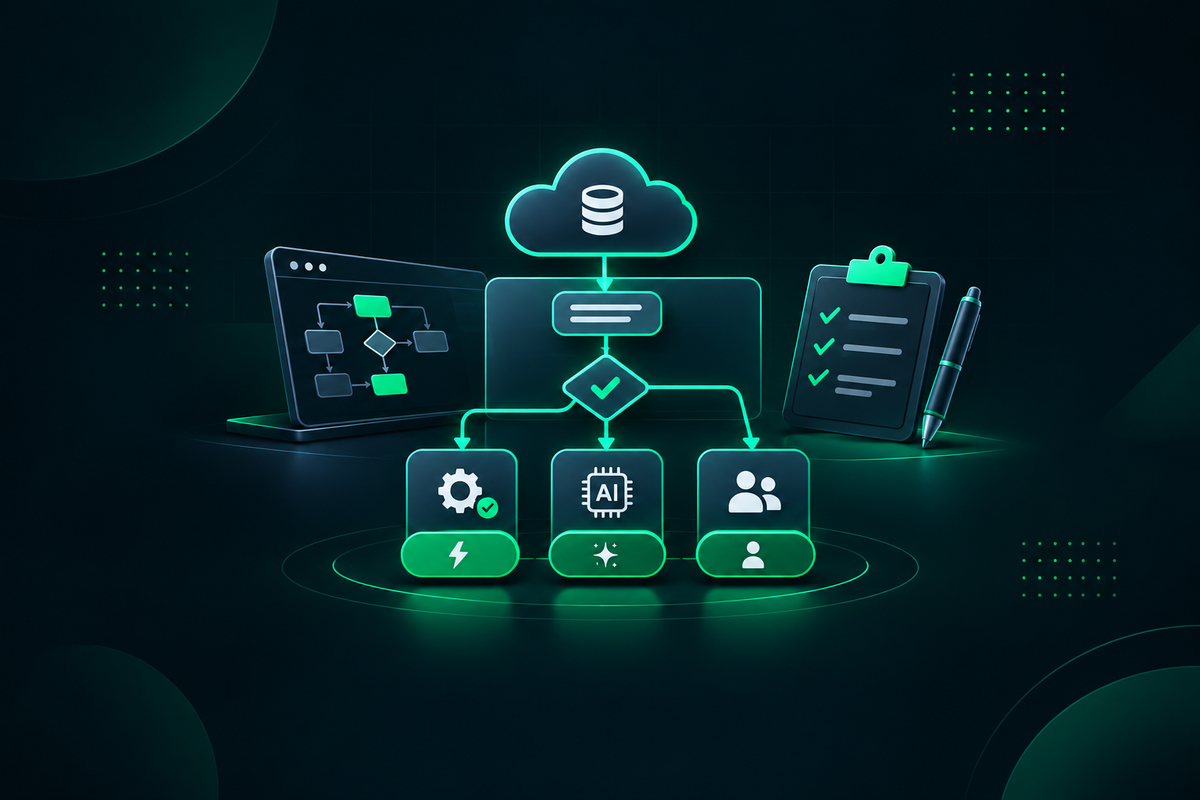

How SaaS Teams Use SaaS Process Mapping Before Automating Workflows
Process mapping helps you avoid a common automation mistake: speeding up a workflow that was unclear or broken from the start. Before we build an integration, AI feature, or automated approval path, we need to understand how work actually moves through your team.
At AngleBrackets, we see process maps as practical tools for clearer delivery, not paperwork. They show which steps should be automated, redesigned, or kept human-led, helping teams identify disconnected tools, technical debt, and operational requirements.
SaaS process mapping documents the current workflow, including triggers, owners, systems, data, decisions, and exception paths, before a team chooses what to automate. It also helps the team decide what to assist with AI and what to retain for human handling.
Define the Workflow Problem Before Selecting Tools
A reliable automation plan starts with the business outcome, not the platform. You may want to reduce onboarding delays, resolve support issues faster, improve data accuracy, or remove manual handoffs between product, sales, and operations.
Document the workflow trigger, intended end state, process owner, affected teams, and the rules or approvals that shape the work. For example, a new subscription may trigger account provisioning, a CRM update, a welcome email, and an internal handoff. Mapping that sequence first shows whether the real issue is a missing integration, unclear ownership, incomplete data, or a decision that needs review.
This problem-first approach matters because the right technology depends on the work itself. A simple handoff between two systems may only need an API integration. A workflow that includes multiple data sources, approvals, customer-facing actions, and changing rules may need orchestration and custom software. Teams evaluating cross-system work can begin with a defined workflow automation and integration approach rather than selecting a platform before the process is understood.
Map the Current State Across People, Systems, and Data
Once the goal is clear, map the current process from trigger to completion. Document every task, the person or team responsible, the applications involved, the data created or updated, and each approval or handoff along the way.
The most useful maps do not only show the happy path. They reveal work happening in side channels, spreadsheets, inboxes, and informal team messages. For instance, a support escalation may begin in Zendesk, move to a Slack message, require engineering triage in Jira, and end with a manually updated customer record. That path is difficult to improve until every handoff is visible.
Use a tool that fits the team’s collaboration needs and the desired level of process-modeling formality. Miro and Lucidchart can support collaborative workshops and accessible flow diagrams. Microsoft Visio may suit teams that already use Microsoft tooling and need more structured diagramming, while BPMN.io can help teams create process models using BPMN notation.
As you review the map, check for repeated data entry, system events that are not captured, unclear ownership, undocumented exception paths, and approvals that exist only in practice. A concise checklist can keep the discussion focused:
• What starts the workflow, and what information is available at that point?
• Who owns each step, decision, and handoff?
• Which systems create, update, or store the relevant data?
• Where do exceptions, rework, or manual workarounds occur?
A consistent notation keeps the map useful for both technical and nontechnical stakeholders. The Object Management Group’s Business Process Model and Notation, or BPMN, provides a framework for representing tasks, events, decisions, and alternate workflow paths. Not every map needs to be highly formal, but shared symbols and plain language can help teams identify gaps before building around them.
Design the Future State and Select the Right Automation Lane
The future-state workflow should not treat every task the same. Some repetitive, rule-based actions can run automatically. Other tasks benefit from AI assistance, while high-impact decisions may still need human review or escalation.
A practical future-state design separates work into three lanes. Record syncing, notifications, and follow-up task creation may be candidates for automation. Request classification, information summarization, and response drafting may be appropriate for AI assistance with defined review steps. Sensitive account actions, contractual approvals, and unusual exceptions can remain human-led.
Tool selection should follow the mapped requirements. Zapier, Make, n8n, and Workato are examples of workflow and integration platforms to evaluate. Salesforce and HubSpot are CRM examples, while Zendesk and Intercom are support-platform examples. None is a universal recommendation; teams should assess each option against their existing systems, security needs, ownership model, and integration requirements.
Where the workflow includes product-specific rules, complex orchestration, or specialized user experiences, custom software development for complex workflows may be more suitable than configuring a general-purpose platform alone. Teams planning workflow changes that affect the product itself can also consider SaaS product development capabilities alongside their integration decisions.
AI workflows need extra care. If a model helps route requests, generate customer responses, or summarize information, teams should define the intended use, inputs, review responsibilities, fallback paths, and records needed to operate the workflow. The National Institute of Standards and Technology’s AI Risk Management Framework offers a reference point for considering AI-related risks. For governed use cases, AI development services for governed AI workflows can help teams design the surrounding workflow, controls, and ownership model.
Test Automation Readiness Before Building at Scale
Not every workflow is ready to automate. If policies change often, ownership is unclear, inputs are inconsistent, or exception handling is unresolved, building immediately can create a faster version of the same confusion.
Before implementation, review data quality, API availability, permissions, system dependencies, error handling, monitoring, rollback procedures, and the owner responsible when a connected system changes. A subscription-cancellation workflow, for example, may require different paths for billing disputes, contractual commitments, fraud reviews, and standard self-service requests. Those paths should be understood before automation is configured.
Rather than automating everything at once, start with a focused pilot. Choose a high-friction process with a clear owner, defined inputs, manageable exceptions, and a practical way to observe how the workflow behaves. The pilot should test technical feasibility, user adoption, exception handling, and whether the workflow can be maintained as systems and policies evolve.
Documentation and governance matter after launch. Assign owners for workflow changes, integration maintenance, access reviews, and operational checks. Keep the process map current when the product, connected systems, or decision rules change.
Move From Process Maps to Measurable Delivery
Process maps should remain operational references rather than files that disappear after a planning session. Revisit the map when teams change a product flow, add a new system, revise approval rules, or discover recurring exceptions.
For each proposed automation, define the trigger, expected outcome, owner, exception path, monitoring method, and change process. That workflow automation planning discipline gives product, operations, and engineering teams a shared basis for deciding what to build next.
Turn Process Insight Into Reliable Automation
AngleBrackets can help SaaS teams turn mapped workflows into reliable automation through business process automation services. To discuss a workflow map, automation lane, or implementation plan, contact the AngleBrackets team.
Frequently Asked Questions
What is SaaS process mapping?
SaaS process mapping is the practice of documenting how work moves through a SaaS team or product operation. A useful map shows the trigger, steps, owners, systems, data changes, decisions, handoffs, and exception paths. It gives stakeholders a shared view before they redesign or automate the workflow.
How do you map a workflow before automation?
Start with one workflow and identify what triggers it, where it ends, and who owns the outcome. Then document each task, system, data input, decision, handoff, and exception. Review the map with the people who perform the work, because actual steps often differ from written procedures.
Which processes should not be fully automated?
Processes involving sensitive decisions, ambiguous inputs, unusual exceptions, or material customer and business consequences should not automatically be fully automated. These workflows may need human approval, escalation, or review. Teams should also avoid full automation when policies, ownership, or source data remain unclear or frequently change.
When is AI assistance appropriate in a workflow?
AI assistance can be appropriate when it supports bounded tasks such as classifying requests, summarizing information, extracting structured details, or drafting content for review. Define the task, acceptable inputs, review steps, fallback path, and owner before deployment. Human review is particularly important when outputs influence consequential decisions.
What tools do teams use for workflow automation planning?
Teams often use Miro, Lucidchart, Microsoft Visio, or BPMN.io to map processes and communicate workflow design. For automation planning, they may evaluate Zapier, Make, n8n, or Workato alongside their existing CRM, support, product, and data systems. The right choice depends on requirements, ownership, and integrations.
How do you measure whether an automation is ready?
An automation is ready to build when its trigger, expected outcome, owners, data inputs, system dependencies, decision rules, and exception paths are defined. Teams should also confirm permissions, error handling, monitoring, rollback options, and maintenance responsibility. A limited pilot can help validate the design before broader implementation.
Subscribe Newsletter
Subscribe to our newsletter, so you can be the first to find out the latest Blogs