AI Workflow Automation for SaaS: Where to Start

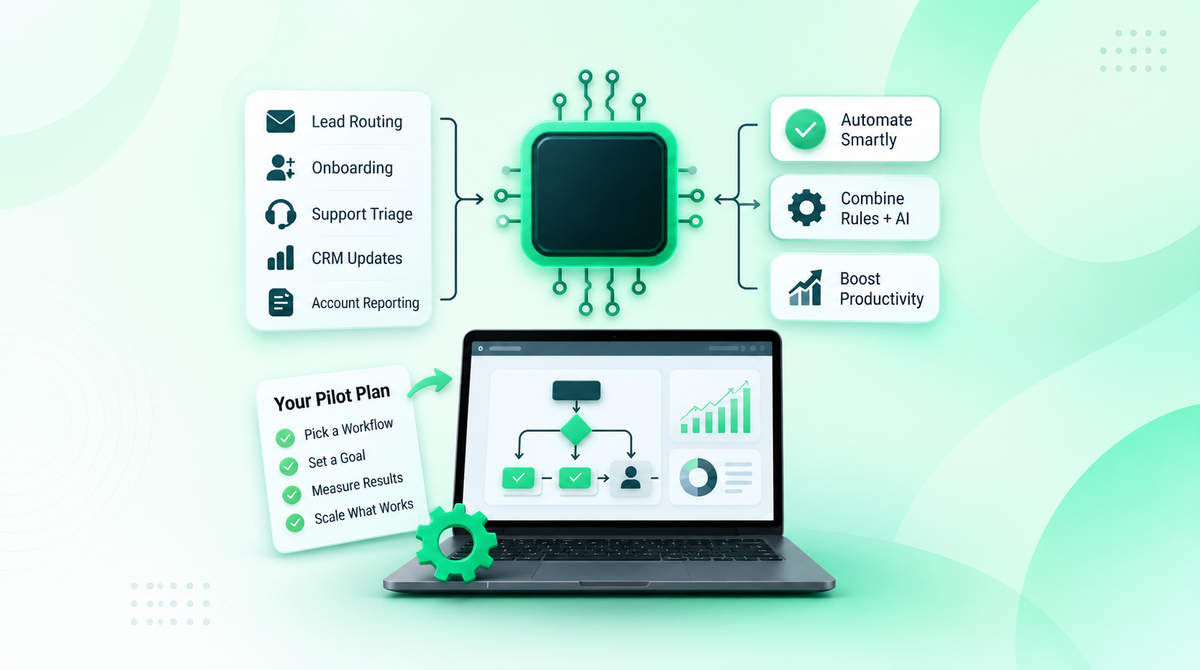

Lead routing, onboarding, support triage, CRM updates, and account reporting each create a steady stream of small tasks that pull your team away from the customer. Automation can take over much of that work, and AI makes it possible to automate steps that used to need a person to read and interpret something first.
The practical question is not whether every process should use AI. It is whether a specific workflow has enough friction, volume, and variability for AI to make a measurable difference, and what has to be in place so it does not create new problems. This guide covers how to pick that workflow, what the tooling looks like in practice, and how to roll it out with safeguards.
Short answer: Use rule-based automation for fixed, predictable steps and AI-enabled automation where the input is unstructured or varies, such as free-text tickets or lead notes. Most SaaS workflows need both. Pilot one measurable workflow and keep a person responsible for consequential decisions.
Rule-Based vs. AI-Enabled Automation
The two approaches solve different problems, and the best workflows combine them: a rule detects the trigger, an AI step interprets the messy part, and a rule or a person acts on the result.
| Anti-pattern | Rule-based automation | AI-enabled automation |
|---|---|---|
| How it decides | Fixed if-then logic you define | A model interprets the input and returns a classification, summary, or recommendation |
| Best input | Structured fields, known triggers | Free text, variable wording, mixed formats |
| SaaS example | Send a welcome email when onboarding form is complete; assign an account owner from a defined field | Read a support ticket and identify the issue type; score a lead from a free-text requirements field |
| Predictability | Same input, same output, every time | Output can vary and can be wrong in ways a rule would not be |
| How it fails | Stops or misroutes when input falls outside the rules | Misclassifies or invents details with apparent confidence |
| Maintenance | Update rules when the process changes | Review exceptions, adjust prompts, and re-check accuracy over time |
| Oversight needed | Approvals for sensitive changes | Confidence thresholds, human review of consequential outputs, logging |
If a clear rule solves the problem, adding AI only adds cost and uncertainty. Reach for AI when the work depends on reading and interpreting something a rule cannot anticipate.
Three Workflows Worth Looking At First
The best starting points are high-volume tasks with a clear beginning, a defined outcome, and a way to check whether the result is right. These three show how the pieces fit together with tools many SaaS teams already run.
Lead qualification (HubSpot, Zapier, and an LLM provider). A new HubSpot form submission triggers a Zap. An AI step through OpenAI or Anthropic reads the free-text "what are you trying to solve?" field and the contact's job title and email domain, then returns a structured classification such as hot, warm, or cold. A rule routes confident results to the right sales queue and updates the HubSpot record. Anything the model is unsure about goes to a person instead of being forced into a bucket. Zapier publishes templates for this pattern, so the build is small enough to pilot quickly.
Support triage (Zendesk). Zendesk's intelligent triage classifies new tickets by topic, sentiment, and language and writes those values onto the ticket, where they can drive routing rules. A rule can send negative-sentiment billing tickets to a senior specialist, or route Spanish-language refund requests to Spanish-speaking agents. The AI does the reading; your rules do the routing. Security issues, billing disputes, and low-confidence classifications should still reach a human.
Failed-payment follow-up (Stripe, CRM, and customer success). Stripe sends an invoice.payment_failed event when a payment for an invoice fails, according to its subscription webhook documentation. That event can open a customer-success task in your CRM. An LLM can add a short summary of the account's plan, history, and prior contact so the person picking it up has context. Refunds, credits, and account changes stay behind an approval step. This is a good example of why billing and CRM connections need to be reliable before AI enters the picture, which is where payment integration services matter.
Before building any of these, map the workflow: where the work starts, which people and systems touch it, where delays happen, and where corrections are most common. You are looking for visible pain, a measurable result, and one person who owns it.
Get the Foundations Right Before Adding AI
Automation only works as well as the process and data beneath it. If customer details differ across your CRM, helpdesk, and billing system, or if the process changes from person to person, automation will repeat the confusion faster. Confirm that your integrations can send, receive, and reconcile the records a workflow needs without producing duplicates or orphaned data.
Then decide how the workflow handles uncertainty before it goes live. Set a confidence threshold below which the model's output is not used, define what happens when information is missing or an integration fails, and name the person who owns each exception queue. Pricing changes, customer escalations, financial approvals, compliance questions, and anything involving sensitive data should have human review. AI can prepare a recommendation or route the request, but someone stays accountable for the decision.
The NIST AI Risk Management Framework is a useful structure for this. It is voluntary guidance that organizes AI risk work into four functions: Govern (ownership and policy), Map (context and risks), Measure (how you will know it works), and Manage (what you do when it does not). You do not need to adopt it formally to borrow the questions. For a workflow automation project they translate directly: who owns this, what can go wrong, how will we track it, and who responds when it fails.
On the technical side, that means role-based access, audit trails, encryption for protected data, monitoring for failed connections and unusual outputs, and a fallback path for cases the automation cannot handle. After launch, someone should review exceptions, update prompts and rules, and check periodically that the workflow still meets its success metric.
Pilot One Workflow and Measure It
Define the baseline before launch. If you do not know how long the current process takes or how often it goes wrong, you cannot tell whether AI saved time, improved quality, or just moved the work somewhere else.
Choose measures that match the workflow. For support triage that might be first-response time, reassignment rate, and manual handoffs. For lead qualification it might be time to first follow-up, routing accuracy, and conversion by lead category. Time saved per task, error rate, and cost per run apply almost anywhere.
A pilot-first rollout keeps the risk contained:
- Pick one workflow with a clear business problem and an owner.
- Record the baseline measures.
- Run the AI-enabled version with a limited group or a slice of volume.
- Review exceptions, corrections, and staff feedback.
- Fix the cause (data, prompts, routing logic, or review rules) before expanding.
A focused pilot like this can also serve as a practical starting point for AI MVP development if you decide to build it into a product feature or a more permanent internal tool. As volume grows, turn the pilot into a repeatable operating model with documented requirements, tuned prompts and business rules, and a monitoring dashboard.
Build Your First Automation Roadmap
Start with a practical problem, not a broad promise about AI: one repetitive task that frustrates customers or pulls people away from work that needs their judgment. Then ask what would change if that task became faster, more consistent, and easier to track.
Bring in the right people early. Operations understands the handoffs, product and engineering understand the systems, customer success sees where customers get stuck, and security can set data and access limits. Skipping that step is how an automation project ends up creating the next problem.
AngleBrackets builds custom artificial intelligence development solutions, workflow automations, integrations, scalable web platforms, and mobile apps for SaaS and technology companies, including SaaS product development for teams planning practical initiatives.
Ready to Evaluate a Workflow?
If you have a workflow in mind and want a second opinion on whether it fits AI, rules, or a mix of both, our AI workflow automation services are built around your processes and your team's day-to-day. Contact us to start the conversation.
Frequently Asked Questions
What is AI workflow automation?
AI workflow automation uses AI models, such as large language models, to handle steps in a business process that require interpreting text or variable inputs, like classifying a ticket or summarizing an account. Fixed rules still handle triggers, routing, and approvals, so most real workflows combine both approaches.
What is the difference between rule-based and AI-enabled automation?
Rule-based automation runs fixed if-then logic, so the same input always produces the same output. AI-enabled automation uses a model to interpret unstructured input, which makes it more flexible but occasionally wrong in ways a rule would not be. Use rules for predictable steps and AI where the input varies.
Which SaaS workflows should I automate with AI first?
Start with a high-volume task where people repeatedly read, sort, or summarize text and where a correct result is easy to check. Support ticket triage, lead qualification, and post-call CRM updates are common starting points. Pick one with a clear owner and a measurable baseline, then pilot it before expanding.
What are the risks of AI workflow automation?
AI can misclassify requests, invent details, or act on incomplete data, and automation repeats those mistakes at speed. Reduce the risk with confidence thresholds, human review for consequential decisions, access controls, audit logs, and monitoring. Frameworks such as the NIST AI Risk Management Framework offer a structured way to assess and manage these risks.
How do I know whether an AI automation pilot worked?
Record the current process before launch: handling time, error rate, response time, or manual handoffs, depending on the workflow. Run the pilot with a limited group, compare the same measures afterward, and review corrections and exceptions. If the numbers do not move, the problem may be data quality or routing logic, not the model.
Do I need to replace my current tools to automate with AI?
Usually not. Most AI steps sit inside the tools you already use, such as your CRM, helpdesk, and billing system, connected through an automation platform or custom integration. What matters is that those systems share clean, consistent data and that each connection can send, receive, and reconcile records without creating duplicates.
Subscribe Newsletter
Subscribe to our newsletter, so you can be the first to find out the latest Blogs