Prevent Data Loss During AI App Rebuilds

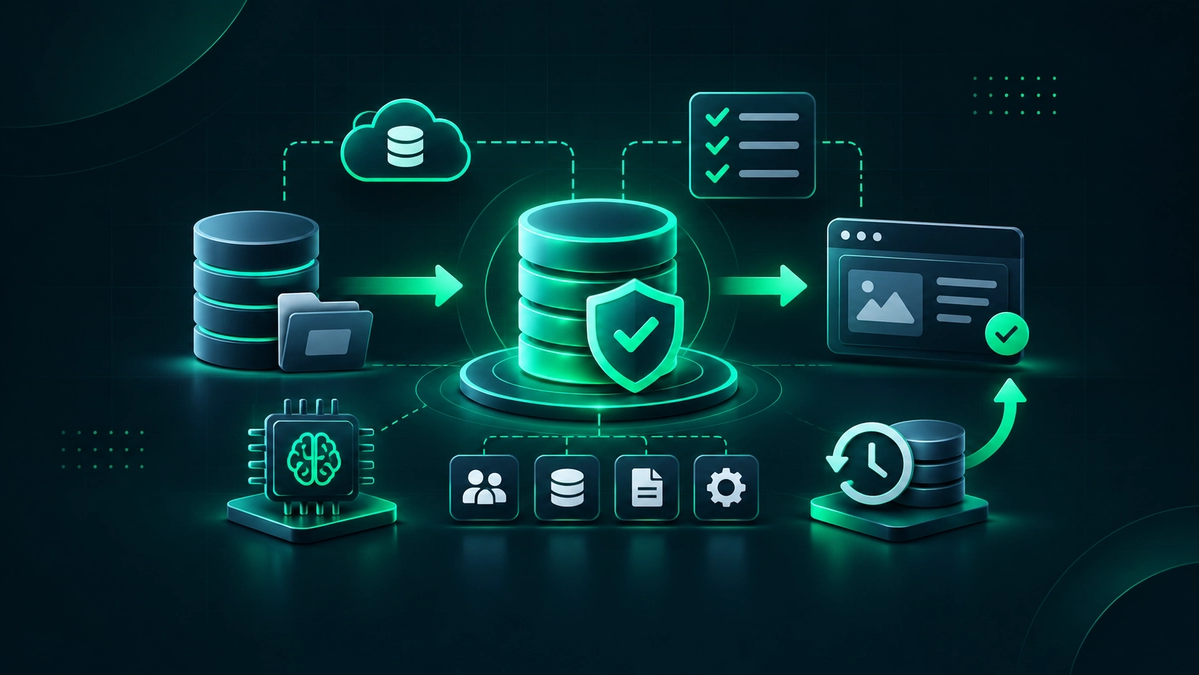

Keep Customer Data Intact During AI App Rebuilds
Rebuilding an application with AI-assisted code can accelerate delivery, but it also increases the need for disciplined migration planning. Missing records, changed field formats, broken account links, duplicate users, lost attachments, and incomplete audit history can interrupt customer operations and internal work.
To prevent data loss during app rebuilds, teams need a complete inventory of source systems, field-level mapping rules, tested backups, and a documented rollback plan. They also need validation at cutover, clear ownership for approvals, and post-release checks against the original system of record before the rebuilt application is treated as complete.
Our scope includes databases, files, customer records, permissions, workflow history, API-connected data, and compliance-related logs. AI can speed up scaffolding and integration work, but migration, validation, and release decisions still require accountable review. A disciplined software product development process helps keep those controls in place from planning through launch.
Map Every Record Before Code Generation Begins
Record protection starts with a complete inventory. Before rebuilding, map primary databases, replicas, object storage, event logs, spreadsheets, internal tools, and connected platforms. Miro and Lucidchart can help visualize system flows, while dbt documentation can clarify warehouse lineage and downstream dependencies.
A field map should preserve business meaning, not only technical format. For example, an "active" status may have rules tied to billing, support, or permissions that do not carry over cleanly into a simple true-or-false field. Each critical dataset should have both a business owner and a technical owner, with open questions tracked in Airtable, Notion, or Jira.
| Data Asset | System of Record | Critical Fields |
|---|---|---|
| Customer Accounts | Production database | ID, organization ID, status |
| Support History | Helpdesk platform | Ticket ID, attachments, timestamps |
| Automation Logs | Workflow platform | Trigger, action, outcome |
Useful examples of systems to map early include Salesforce for CRM records, HubSpot for lifecycle stages, Zendesk for support history, Zapier or Make for workflow dependencies, and shared drives or object storage for customer files.
Build Recovery Paths Into Each Migration Stage
Recovery controls should be built into the migration plan from the start. Recommended controls include immutable backups, restore tests, environment snapshots, versioned scripts, migration logs, and a named approver for rollback decisions. The CISA StopRansomware Guide supports the value of tested backups and documented recovery procedures, while NIST contingency planning guidance provides a useful framework for restoration planning.
A phased release often follows this order:
- Import historical data into a test environment.
- Synchronize recent changes and run a final delta migration.
- Validate records and workflows before redirecting production traffic.
The correct sequence depends on architecture, integration complexity, and acceptable downtime. CRM records, helpdesk tickets, billing metadata, form submissions, knowledge-base content, and automation histories need the same level of care as application tables. Recovery planning should be part of launch readiness and post-launch application monitoring, not an afterthought.
| Project Stage | Primary Risk | Required Control |
|---|---|---|
| Data Export | Incomplete extract | Backup and export log |
| Test Migration | Bad transformation | Restore and reconciliation test |
| Production Cutover | Broken workflow | Rollback trigger and owner |
Validate AI Output Against Production Data
Generated code can make incorrect assumptions about nullable fields, date formats, unique IDs, permissions, pagination, and relationship rules. Before a rebuild reaches production, validate data access code, transformations, schema changes, and API behavior against real migration scenarios and realistic test records.
Layered checks improve confidence. Great Expectations or Soda can support data-quality testing, Postman can verify API responses, and Playwright or Cypress can test complete workflows from sign-in through record updates. Business teams should review high-value records because counts alone cannot confirm reporting logic, workflow behavior, or customer-facing accuracy.
| Validation Area | Example Failure | Approval Owner |
|---|---|---|
| Record Counts | Missing imported accounts | Technical owner |
| Relationships | Orphaned child records | Operations owner |
| Permissions | Users see restricted records | Security owner |
| Attachments | Files no longer open | Support owner |
Document Ownership, Access, and Readiness
A recovery plan breaks down when no one knows who can pause a migration, restore a backup, approve a cutover, or communicate an incident. Decision rights should be documented in a shared runbook, with approvals recorded in Jira, Confluence, or Notion.
| Decision Area | Accountable Role | Evidence |
|---|---|---|
| Mapping Approval | Business owner | Approved field map |
| Backup Restore Test | Technical owner | Restore result |
| Rollback Decision | Release owner | Incident record |
Access controls also matter during the rebuild. Limit production credentials, separate development and production environments, rotate secrets, and manage approvals through tools such as 1Password or HashiCorp Vault. The OWASP Secrets Management Cheat Sheet is a practical reference for controlling and rotating sensitive credentials.
An account can appear correct in the new interface while its underlying organization identifier is missing. Reconciliation queries can expose the broken relationship, and business-user testing can confirm that reports, permissions, and workflows still behave correctly. Keep the prior system, or a read-only export, available for a retention period that fits contractual, legal, operational, and security requirements.
Restore Your App With a Clear Recovery Plan
Our team at AngleBrackets can assess the current application, identify recoverable logic and data dependencies, and define a practical rebuild path. Get expert help through our AI-generated app rescue and rebuild services to move from unstable output to a maintainable application. To discuss your project requirements and next steps, contact us.
Frequently Asked Questions
How Do You Prevent Data Loss During an App Rebuild?
Teams prevent data loss during an app rebuild by inventorying every source system, preserving backups, mapping fields before migration, and testing restores before release. At cutover, they reconcile record counts, review important workflows and permissions, validate sample records, and keep a documented rollback path available until stability is confirmed.
What Data Should Be Backed Up Before Rebuilding an Application?
Back up production databases, file storage, attachments, user accounts, permissions, audit logs, configuration files, workflow definitions, API-connected records, and third-party exports. Historical reports and reference data that support billing, operations, compliance, customer support, and contractual recordkeeping should also remain available until validation is complete.
How Do Teams Validate Migrated Data?
Teams validate migrated data with schema checks, record counts, unique ID comparisons, relationship tests, sample reviews, API tests, and end-to-end workflow testing. Business stakeholders should review high-value records because they can spot missing context, incorrect statuses, broken permissions, and reporting problems that automated checks may not identify.
Can AI-Generated Code Cause Data Loss?
AI-generated code can contribute to record loss when it assumes the wrong schema, identifier, permission rule, transformation, or API behavior. The risk is reduced through code review, staging environments, migration logs, automated tests, restore testing, production monitoring, and a documented rollback procedure with named decision-makers.
What Is a Rollback Plan in Data Migration?
A rollback plan defines how a team pauses or reverses a migration after failed validation or production issues. It identifies the decision-maker, restoration steps, backup location, communication process, expected recovery approach, and the criteria for restoring the previous system until the new release is stable and verified.
How Long Should Old Application Data Be Retained After a Rebuild?
Retention depends on legal obligations, customer contracts, security requirements, operational needs, and the time required to verify the rebuilt system. Historical records should stay accessible until reconciliation is complete and stakeholders confirm that critical workflows, reports, customer support tasks, and compliance-related processes operate as expected.
Subscribe Newsletter
Subscribe to our newsletter, so you can be the first to find out the latest Blogs